Last week, I covered how to use AI as your Email Advantage in the workplace. Now, I want to shift gears to how AI can help with what many professionals face: the job search process.
I recently worked with a team that had been laid off and was thrown into what has become a highly competitive job market for the first time in many years. The landscape has changed dramatically, with more applicants per position and increasingly sophisticated screening tools.
I was asked to share how AI could make their job search more efficient and effective. Note: No one on this team was familiar with AI solutions like ChatGPT and Claude, but after a few calls and demos, they felt comfortable using the strategies I’m about to share with you.
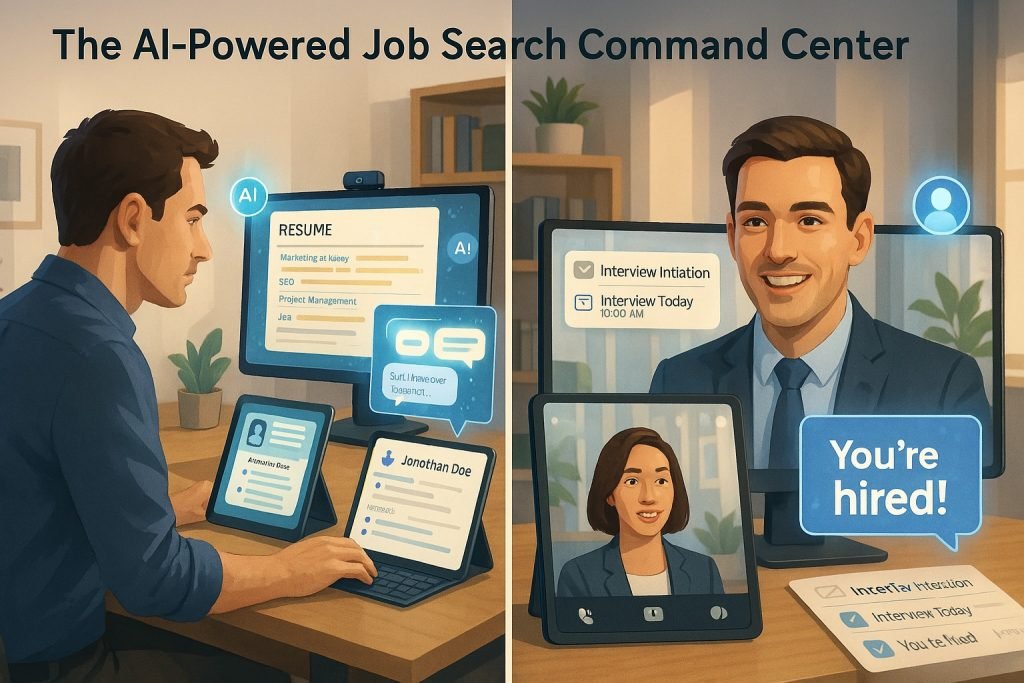
You can use AI to improve your cover letter, enhance your resume, optimize your LinkedIn profile, research potential employers, and practice for interviews. Here’s how.
Using AI to Create a Standout Cover Letter
Begin with a draft you create on your own; this is crucial. Then, upload the draft to ChatGPT or Claude with the job posting, context about the job you are applying for, the company culture, and anything else that can help the AI refine it into a compelling cover letter. Not to say you may be an excellent writer, but it is impressive how AI can enhance your writing when given the right context. The more details you provide, the better the outcome will be.
What to include when working with AI on your cover letter:
- The original job posting (copy the full text)
- Your resume
- Details about the company and its culture
- Your draft cover letter
Then, ask the AI “to help you make your cover letter exceptional, ensure that it aligns with the job description, and maintain your tone and personality to help you turn your draft into a cover letter that no hiring team can resist.” This is just a sample prompt but if you speak wth AI as you would a job coach it will work the way you want.
You don’t want it to sound edited by AI – you want your authentic voice to shine through.
When you have the first draft, don’t accept it immediately! Consider when writing something important; your second or third draft is typically better. Iterate with what you get and revise it a paragraph at a time.
Sometimes, it also helps to take what one AI tool enables you to create and put it in another. Try Claude first then use that version in ChatGPT. You’ll be surprised at the different perspectives you get, and usually, you end up with a better final output.
To be clear, I do not recommend using AI to do all the work for you. Ensure you write your first draft, even if your thoughts are scattered and rough. This will ensure your voice comes through, not the AI’s.
If you want to ensure you’ve nailed the cover letter, ask the AI to “Act as the hiring manager reviewing this cover letter and tell me all the aspects they would improve or that could hinder my chances of getting the job.” This role-playing method offers valuable feedback from the perspective that matters most.
Using AI to Tailor Your Resume for Each Application
Just as you used AI to improve your cover letter, use it to enhance your resume. The key here is to highlight the attributes you need for the specific job you’re applying for. You don’t want a one-size-fits-all resume. You want to tailor your resume to each position. Trust me, this targeted approach significantly increases your chances!
What to upload to AI when asking for resume help:
- Your current resume
- The job posting
- Your cover letter
- Your thoughts on the job, and how do you best align with it
Then, let AI work its revision magic. The before and after of your resume will be much better in most cases and will align better with the job posting. Often, the AI isn’t even rewriting your resume but giving the current information a better hierarchy based on the job you’re applying for.
You can also ask AI to help ensure your resume passes the Applicant Tracking System (ATS) that many HR teams use today. These systems scan resumes for specific keywords and formats before a human ever sees them. A prompt like “Please review my resume to ensure its optimized for ATS systems while keeping it readable and engaging for human reviewers” works well.
Optimizing Your LinkedIn Profile with AI
Your LinkedIn profile is often the first impression recruiters get of you, yet many job seekers neglect to optimize it. AI can help you create a profile that attracts the right opportunities.
To enhance your LinkedIn profile with AI, share:
- Your current LinkedIn profile content
- The types of roles you’re targeting
- Your career accomplishments and strengths
- Industry-specific keywords you want to include
Ask the AI to help you craft:
- A compelling headline that includes key skills and your professional identity
- An engaging “About” section that tells your career story
- Achievement-focused descriptions for your experience entries
- A skills section prioritized for your target roles
Just remember that LinkedIn is more conversational than a resume, so please ask the AI to maintain that tone while still highlighting your professional accomplishments. It is best to write your own drafts first and upload those.
Using AI to Research Potential Employers
Thorough company research is often what separates successful candidates from the rest. AI can help you quickly gather and synthesize information about potential employers.
Before an interview or even before applying, ask AI to help you:
- Summarize recent news about the company
- Identify the company’s core values and mission
- Outline the company’s main products/services and their market position
- Prepare intelligent questions to ask in your interview based on company challenges
For example, you could say: “I have an interview with [Company]. Can you help me understand their recent business challenges, company culture, and prepare 5 thoughtful questions that would demonstrate I’ve done my research?”
This preparation demonstrates genuine interest and helps you determine if the company is truly a good fit for your career goals.
Using AI to Practice for Your Interview
Last on the list is using AI to practice for the job interview. This is simple but incredibly valuable for preparing for tough questions.
What you need to provide to AI for interview practice:
- The job description
- As many details as you can about the company, product, service, etc. (The more context you give AI, the better interviewer it will be)
- Your cover letter
- Details about the person who will interview you: LinkedIn profile, what you find on Google, etc. (Details help if you have them)
Then, use ChatGPT’s voice feature and ask it to pretend to be a tough interviewer for the specific role. Try it, and you’ll be amazed at how helpful this is. It works for entry-level positions all the way up to the C-suite.
If you prefer not to speak with AI (though I find voice practice most helpful), you can chat with it instead. However, voice practice better simulates the actual interview experience since you won’t be chatting with the hiring manager.
You can also ask the AI to focus on specific types of questions:
- Behavioral questions (“Tell me about a time when…”)
- Technical questions specific to your field
- Questions about gaps in your resume or career transitions
- Salary negotiation scenarios
After each practice session, ask the AI to provide feedback on your answers and suggestions for improvement.
The Human Touch Still Matters
While AI can improve your job search materials and preparation, remember that the goal is to showcase your unique value, not to sound like everyone else using AI. Always maintain your authentic voice and add personal touches that AI can’t replicate.
Think of AI as your job search assistant, not as a replacement for your judgment and individuality. The most successful candidates use AI to enhance their natural strengths, not to mask their personality.
I hope some or all of these strategies are helpful in your job search. If you have questions, comments, criticisms, or improvements, I’d love to hear them!
Happy job hunting with AI!
Read my article on how to SuperCharge your work emails with AI here.